







Madalin Stunt Cars 2

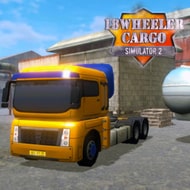




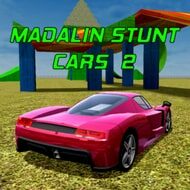
In Madalin Stunt Cars 2 you start with the entire garage already unlocked, three maps to choose from and no mission list telling you what to do next. That freedom matters, because the game is a stunt sandbox rather than a campaign: you pick any car, paint it, choose a map, and decide for yourself whether the session is about big jumps, drift practice or racing other players across elevated roads.
The Three Maps of Madalin Stunt Cars 2
Map 1 is a vast open space built for experimentation. It mixes stunt structures with elevated roads, so you can go from a ramp launch to a drift section to an impromptu drag race without leaving the area. Most players spend their first sessions here, learning how each car behaves in the air.
Map 2 is more focused – a race track and a highway designed for head-to-head drag or grip racing. It is the map that rewards cars with strong straight-line speed and punishes sloppy braking into corners.
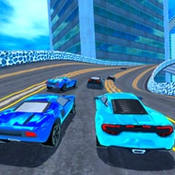
Map 3 is the Stunt Arena, packed with ramps and jumps and circled by an elevated high-speed highway. This is where the series earned its reputation for huge launches, and it is the map where crashes are most frequent and most entertaining.
Driving, Drifting and Nitro
The controls cover everything you need without menus: W or Up accelerates, S or Down brakes, A and D steer, Space is the E-Brake, Shift fires nitrous, C changes the camera, T shows positions on the map and R resets the car. That reset key ends up being one of the most used buttons, since a bad landing on a ramp often leaves the car on its side.
The physics favor speed. Cars lose momentum when they drift, so long slides are harder to sustain than in dedicated drifting games, and the usual advice is to start practicing in large open areas before trying riskier lines near walls. You can begin a drift with the E-Brake or by powering over – throttle into the corner, then counter-steer.
- Keep the throttle down to hold a slide and counter-steer if the car over-rotates
- Lift, turn and reapply throttle to switch drift direction
- Exit by letting the rear settle, then go to full throttle
- Use Shift for nitro to escape a bad position, and hold the E-Brake to stop
Players who enjoy stunt improvisation tend to love this loose, momentum-heavy handling. Players who come from precise racing games sometimes find it floaty, especially on landings.
Garage, Paint and Madalin Stunt Cars 2 Lobbies
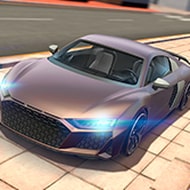
Every car is available immediately, which removes the grind that defines many driving games. There is no tuning, so the garage is about choosing a car’s feel and look; color sliders in the top left let you paint it, and a Random button picks a color for you. The camera can auto-rotate or be dragged with the mouse, with the scroll wheel for zoom.
Single Player drops you straight onto the selected map for practice. Multiplayer asks for a name and then lets you create a lobby, browse public lobbies or use Join Random to get into a session quickly.
The busiest lobbies are the ones with the highest player count and an open slot, and chat sits in the bottom left. Multiplayer is where most of the community’s fun happens – impromptu races, jump contests and pile-ups on the Stunt Arena ramps – though lobbies can be chaotic when several players are ramming instead of racing. The lack of tuning is the most common criticism from players who want to build a car rather than just pick one; others see the instant access as the main reason they keep coming back.
Madalin Stunt Cars 2 works best as a playground: pick a car, head to the Stunt Arena, hold Shift on the approach to the biggest ramp, and use the R key without shame when the landing goes wrong.
Comments
There are no reviews yet. Be the first one to write one.